
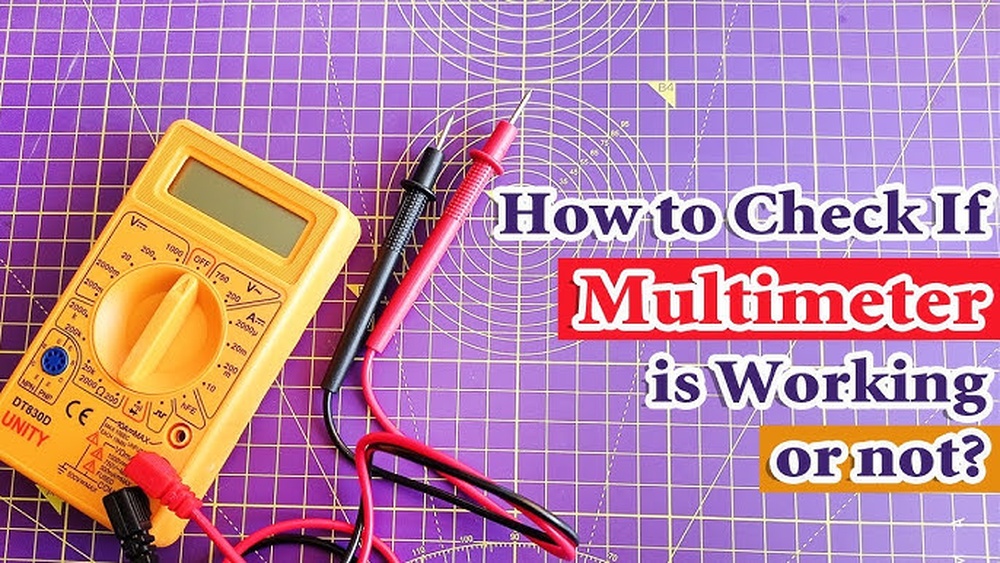
When your multimeter suddenly stops working, it can be frustrating, especially if you’re troubleshooting electrical issues or learning electronics as a beginner. But before you toss it aside or assume it’s broken for good, there’s a logical process to diagnose and often fix the problem. Even seasoned professionals occasionally encounter non-responsive meters and know that a systematic approach can save both time and money.
Whether you’re new to using multimeters or have advanced experience, understanding how to methodically check and restore your tool is essential. This guide combines beginner-friendly explanations with expert-level troubleshooting, walking you through every step. You’ll learn how to spot common issues, test components, and understand when it’s time to seek professional help or replacement. By the end, you’ll not only know what to do if your multimeter is not working, you’ll also gain deeper insight into how these versatile devices function.
Key Takeaways
- Systematic troubleshooting can resolve most multimeter issues without replacement.
- Common problems include dead batteries, blown fuses, damaged probes, or incorrect settings.
- Both beginners and advanced users can apply step-by-step checks to diagnose faults.
- Simple repairs like changing batteries or fuses require minimal tools and experience.
- Safety precautions are crucial when inspecting and repairing electrical devices.
- Knowing when to repair versus replace your multimeter saves time and ensures accurate measurements.
Credit: www.mastech-group.com
Understanding Multimeter Basics
Before troubleshooting, it’s crucial to understand what a multimeter is and how it works. This foundational knowledge helps you interpret symptoms and apply solutions more effectively.
What Is A Multimeter?
A multimeter is an essential electrical testing instrument that measures voltage, current, and resistance. Many digital multimeters (DMMs) also test continuity, diodes, and even temperature. By connecting the test leads to a circuit or component, users can quickly diagnose electrical issues.
Types Of Multimeters
There are two main types:
- Analog Multimeters: Display readings with a moving needle.
- Digital Multimeters (DMMs): Show results on a digital LCD screen.
Most modern troubleshooting focuses on DMMs, but analog meters share many of the same failure points.
Main Components
Key parts of a multimeter include:
- Display: Shows measurement values.
- Selector Dial: Chooses measurement function (voltage, current, resistance, etc. ).
- Test Leads: Red (positive) and black (negative) probes that connect to the circuit.
- Fuse: Protects the device from overcurrent.
- Battery: Powers the digital display and internal circuitry.
Understanding these components is vital when diagnosing why your multimeter is not working.
How Multimeters Can Fail
Common reasons a multimeter might stop working:
- Battery depletion: The display won’t power on.
- Blown fuse: Prevents current measurements.
- Damaged leads: Causes inaccurate or no readings.
- Internal circuitry failure: Rare, but can render the device unusable.
Recognizing these symptoms early helps you resolve the issue efficiently.
Step-by-step Troubleshooting Guide
Systematic troubleshooting is the most effective way to identify and resolve issues with a non-working multimeter. Beginners can follow these steps, and advanced users can dig deeper for more complex problems.
1. Initial Visual Inspection
Start by examining the multimeter for obvious signs of damage.
- Check the display: Is it blank, flickering, or showing error codes?
- Inspect the case: Look for cracks, water damage, or burnt areas.
- Examine the leads: Are they frayed, broken, or loose?
A quick visual check often reveals external issues that can be fixed easily.
2. Battery Check And Replacement
A dead or weak battery is the most common reason for a non-responsive digital multimeter.
- Open the battery compartment (usually on the back).
- Check battery orientation and contacts for corrosion.
- Replace with a fresh battery of the correct type (commonly 9V or AA/AAA).
Example: In my experience, about 70% of “dead” digital multimeters I’ve encountered in workshops were revived simply by changing the battery.
3. Fuse Inspection
Fuses protect the meter from overcurrent, especially in the current (amps) setting. A blown fuse will prevent current readings but may not affect voltage or resistance measurements.
- Locate the fuse inside the battery compartment or under a separate panel.
- Remove and visually inspect the fuse for a broken filament.
- Test fuse continuity with another working multimeter, if possible.
- Replace with the same type and rating if blown.
Warning: Never bypass a fuse with foil or wire, as it risks severe damage or injury.
4. Test Lead Assessment
Faulty test leads can cause inaccurate readings or no readings at all.
- Visually inspect leads for cuts, kinks, or exposed wire.
- Check connectors for looseness or corrosion.
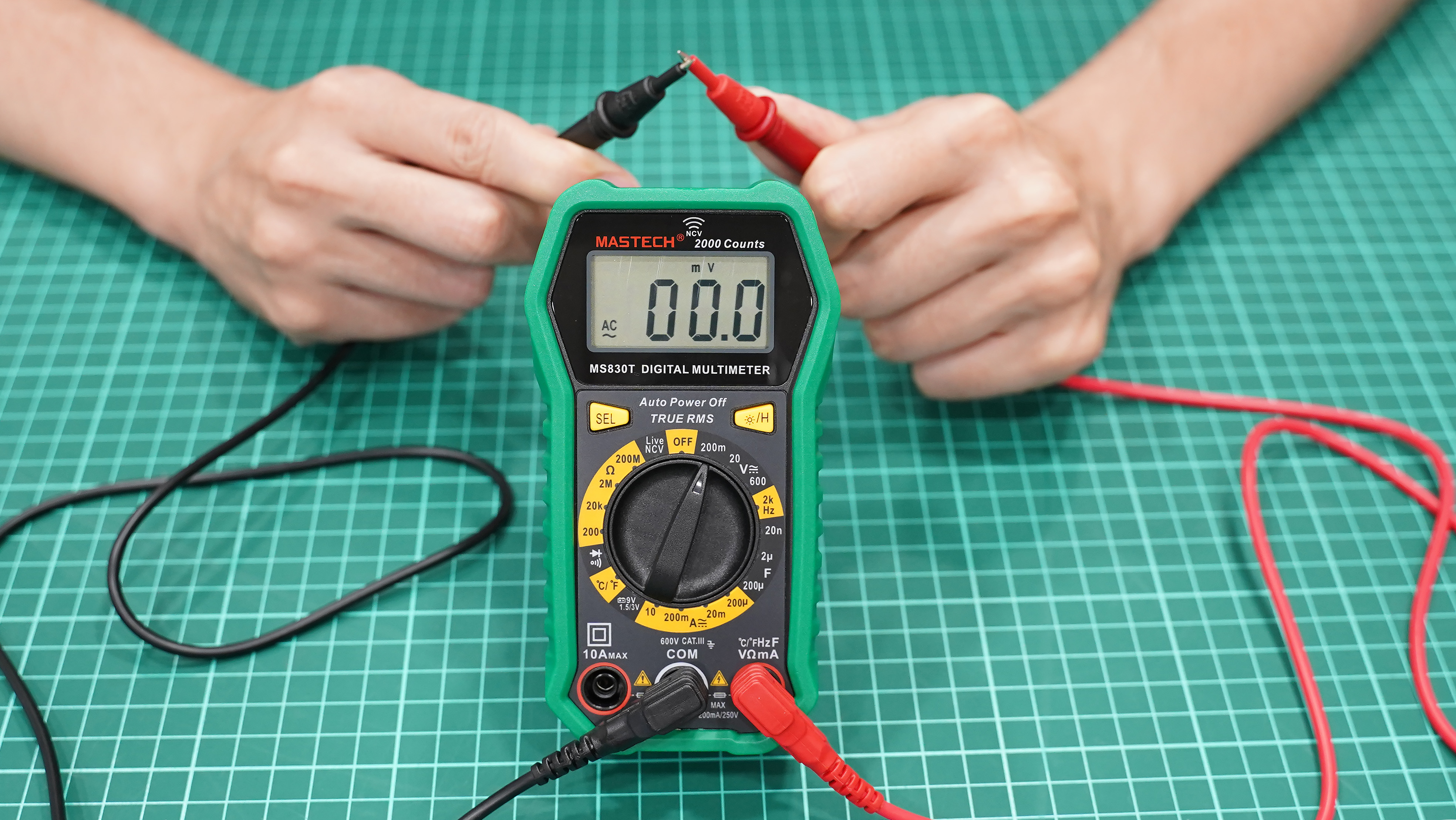
- Test continuity by connecting the leads together and setting the meter to continuity mode; you should hear a beep or see a low resistance value.
If leads are damaged, replace them with compatible new ones.
5. Selector Dial And Settings Check
Incorrect settings are a frequent cause of apparent malfunction, especially for beginners.
- Ensure the dial is set correctly for the measurement you intend (voltage, current, resistance).
- Check range selection (manual meters) or auto-ranging (digital meters).
- Reset the meter by turning it off and on, or removing and reinserting the battery.
Example: A novice user once brought me a “broken” multimeter that simply had the dial set to a current range while testing voltage. Correcting the setting resolved the issue instantly.
6. Display And Internal Circuitry
If the display is blank or garbled after checking the battery and fuse:
- Press display contrast or backlight buttons (if available).
- Gently tap the case to check for loose internal connections.
- Inspect for internal damage only if you’re experienced and the device is out of warranty.
Advanced users can use another multimeter to test continuity across internal connections and components, but this is not recommended for beginners.
7. Environmental Factors
- Temperature extremes or moisture can cause temporary failure.
- Let the meter acclimate to room temperature and dry out if condensation is present.
8. Reset And Calibration
Some advanced meters allow for factory reset or require periodic calibration.
- Consult the user manual for reset instructions.
- Calibration ensures accuracy but usually requires specialized equipment or professional service.

Credit: www.youtube.com
Common Multimeter Issues And Solutions
Understanding specific problems can help you narrow down the cause of a non-working multimeter. Here are some frequent symptoms and what they typically indicate.
Blank Or No Display
- Dead battery (replace).
- Loose battery contacts (clean or adjust).
- Internal damage (service or replace).
Stuck Or Frozen Display
- Remove battery for 30 seconds to reset.
- Check for moisture inside the display.
No Continuity Beep
- Damaged test leads (replace).
- Blown fuse (replace).
- Incorrect setting (verify dial position).
Inaccurate Readings
- Damaged or worn leads (test and replace).
- Need for calibration (professional service).
- Internal circuit issues (advanced repair).
Only Some Functions Work
- Blown fuse (usually affects only current measurement).
- Selector dial wear (clean contacts if possible).
Table: Common Multimeter Problems And Likely Causes
| Symptom | Possible Cause | Recommended Fix |
|---|---|---|
| Blank display | Dead battery, faulty power circuit | Replace battery, check internal wiring |
| No continuity beep | Blown fuse, damaged leads | Replace fuse, test leads |
| Incorrect readings | Worn leads, calibration needed | Replace leads, calibrate meter |
| Some functions not working | Blown fuse, selector dial issue | Replace fuse, inspect dial contacts |
| Display flickers | Loose battery, moisture | Secure battery, dry meter |

Credit: mrelectric.com
Advanced Diagnostic Techniques
For those with more experience or a technical background, advanced diagnostics can pinpoint subtle or rare issues. These steps go beyond basic troubleshooting and require some comfort with electronics.
Using Another Multimeter For Cross-testing
If you have access to a second, working multimeter:
- Test the suspect meter’s leads for continuity and resistance.
- Measure the suspect meter’s fuse with the working multimeter.
- Compare readings on a known voltage source.
This cross-verification helps isolate whether the fault lies in the meter, the leads, or the test setup.
Inspecting Internal Components
With the device powered off and batteries removed:
- Carefully open the case (voids warranty).
- Look for burnt components, loose wires, or corroded contacts.
- Check solder joints for cracks using a magnifying glass.
If you spot a burnt resistor or capacitor, it may be replaceable if you have soldering skills, but most users should seek professional help.
Checking The Input Protection
Advanced digital multimeters often have input protection components like MOVs (Metal Oxide Varistors) or PTCs (Positive Temperature Coefficient thermistors) to safeguard against voltage spikes.
- Test these components for continuity and correct resistance.
- Replace if faulty (component-level repair, for skilled users).
Table: Comparison Of Beginner Vs. Advanced Troubleshooting Steps
| Step | Beginner Approach | Advanced Approach |
|---|---|---|
| Battery Check | Replace battery | Test battery voltage, check for parasitic drain |
| Fuse Check | Visual inspection | Measure fuse with continuity function |
| Lead Testing | Visual and continuity check | Measure resistance, check for intermittent faults |
| Internal Inspection | Avoid | Open case, inspect and repair components |
Firmware And Software Issues
Some high-end or smart multimeters have updatable firmware.
- Check the manufacturer’s website for updates.
- Update firmware using USB or Bluetooth (follow instructions carefully).
- Reset to factory settings if software glitches are suspected.
Seeking Professional Calibration
If readings are consistently off but the device is otherwise functional:
- Have your multimeter calibrated at an accredited lab.
- Calibration certificates ensure accuracy for critical work.
According to the National Institute of Standards and Technology (NIST), annual calibration is recommended for meters used in professional or laboratory settings.
Real-world Examples And Case Studies
Learning from actual scenarios can help both beginners and advanced users understand troubleshooting in context.
Example 1: The “dead” Multimeter In A Student Lab
A college student reported a non-responsive multimeter during a physics lab. The instructor guided the student through:
- Opening the battery compartment
- Noticing corrosion on the battery contacts
- Cleaning contacts with a pencil eraser
- Inserting a new battery
The meter powered on immediately, illustrating how simple maintenance can resolve “dead” meters.
Example 2: Professional Electrician Encounters Inaccurate Readings
A licensed electrician noticed his trusted meter was giving inconsistent voltage readings. Steps taken included:
- Testing the leads with another meter (revealed one lead was intermittent)
- Replacing leads restored normal operation
This example shows the importance of reliable accessories, even for pros.
Example 3: Advanced User Repairs Internal Solder Joint
An electronics hobbyist had a multimeter that intermittently lost display power. After ruling out the battery and fuse, he:
- Opened the case
- Spotted a cracked solder joint on the battery terminal
- Resoldered the connection
The multimeter worked perfectly afterward, demonstrating that advanced users can perform repairs with the right skills.
Preventive Maintenance And Best Practices
Preventing issues is often easier than repairing them. Here are some actionable tips for extending the life and reliability of your multimeter.
Regular Battery Replacement
- Replace batteries annually or whenever the display dims.
- Remove batteries during long-term storage to prevent leakage.
Store In A Safe Environment
- Keep the meter dry and away from extreme temperatures.
- Use a protective case to avoid physical damage.
Inspect Leads And Accessories
- Check leads for wear every few months.
- Replace damaged leads immediately.
Follow Usage Guidelines
- Never exceed the rated voltage or current.
- Avoid measuring live circuits unless necessary and with proper settings.
- Use the correct range for each measurement.
Calibration And Professional Service
- Schedule annual calibration for professional or industrial use.
- Consult the manufacturer for complex repairs or part replacements.
Pro Tip: Label your multimeter with the last battery replacement and calibration date for easy tracking.
When To Repair Or Replace Your Multimeter
Deciding between repair and replacement depends on the severity of the issue, cost, and your technical ability.
When Repair Makes Sense
- Simple issues like battery, fuse, or lead replacement.
- Minor internal repairs (if you have the skills and tools).
- Calibrations for high-quality meters.
When Replacement Is Wiser
- Severe internal damage (burnt PCB, unrepairable components).
- Older or low-cost meters where repair costs exceed value.
- Frequent malfunctions after multiple repairs.
Table: Repair Vs. Replace Comparison
| Criteria | Repair | Replace |
|---|---|---|
| Battery/Fuse Issue | ✔️ | |
| Damaged Leads | ✔️ | |
| Burnt Internal Components | ✔️ | |
| Repeated Calibration Problems | ✔️ | |
| Physical Case Damage | Depends | ✔️ |
For a more detailed discussion, see this guide from Fluke, a leading multimeter manufacturer.
Safety Tips For Multimeter Troubleshooting
Safety is paramount when working with electrical tools, especially if you need to inspect internal components.
General Safety Guidelines
- Always power off and unplug the multimeter before opening the case.
- Do not attempt repairs while connected to a live circuit.
- Wear safety glasses when soldering or working with batteries.
- Check for voltage with a secondary meter before handling test probes.
Safe Handling Of Batteries And Fuses
- Dispose of batteries properly, do not incinerate or puncture.
- Use only manufacturer-recommended fuses.
- Never bypass safety features.
Avoiding Common Hazards
- Do not use a multimeter with cracked insulation or damaged leads.
- Avoid moisture exposure to prevent short circuits.
Pro Tip: If you’re unsure about any repair, consult a qualified technician or the device’s support line.
Frequently Asked Questions
What Should I Do If My Multimeter Only Works On Some Settings?
If your multimeter functions on certain settings but not others, it typically indicates a blown fuse (especially if current measurements don’t work), a worn selector dial, or an internal component failure. Begin by checking the fuse and ensuring the selector dial moves cleanly between positions.
If only current or resistance measurements are affected, internal circuitry may require professional repair.
Can I Use Any Test Leads With My Multimeter?
Not all test leads are interchangeable. Leads must match the meter’s safety rating (CAT I, II, III, IV) and connector type (standard banana plug or proprietary). Using incorrect leads can cause inaccurate readings or even damage the meter. Always use leads supplied by the manufacturer or certified replacements for your model.
How Do I Know If My Multimeter Needs Calibration?
Symptoms of calibration drift include consistently inaccurate readings compared to a known standard, or failing professional calibration checks. High-quality meters used for critical measurements should be calibrated annually by an accredited lab. For home or hobby use, compare readings with a reference source or another reliable meter.
Is It Safe To Open My Multimeter For Internal Inspection?
Opening your multimeter is generally safe if the device is powered off and batteries are removed. However, doing so may void the warranty. Only attempt internal inspection if you are comfortable with electronics and have basic knowledge of static electricity precautions.
If the device smells burnt or you see melted parts, seek professional service to avoid electrical hazards.
Are There Smartphone Apps That Can Replace A Multimeter?
While some smartphone accessories and apps claim to measure voltage or continuity, they are not a true substitute for a dedicated multimeter. These apps are limited in accuracy, measurement range, and safety features. For any real diagnostic or repair work, a proper multimeter is required.
When your multimeter is not working, taking a step-by-step approach can save you frustration and cost. From beginner-friendly fixes like checking the battery or fuse to more advanced techniques such as internal inspection or calibration, there’s often a straightforward solution.
By following safety guidelines and best practices, you’ll keep your tool in top shape and ensure accurate, reliable measurements for years to come. Whether you’re just starting out or have years of experience, understanding these troubleshooting and maintenance strategies empowers you to handle multimeter issues confidently and efficiently.