
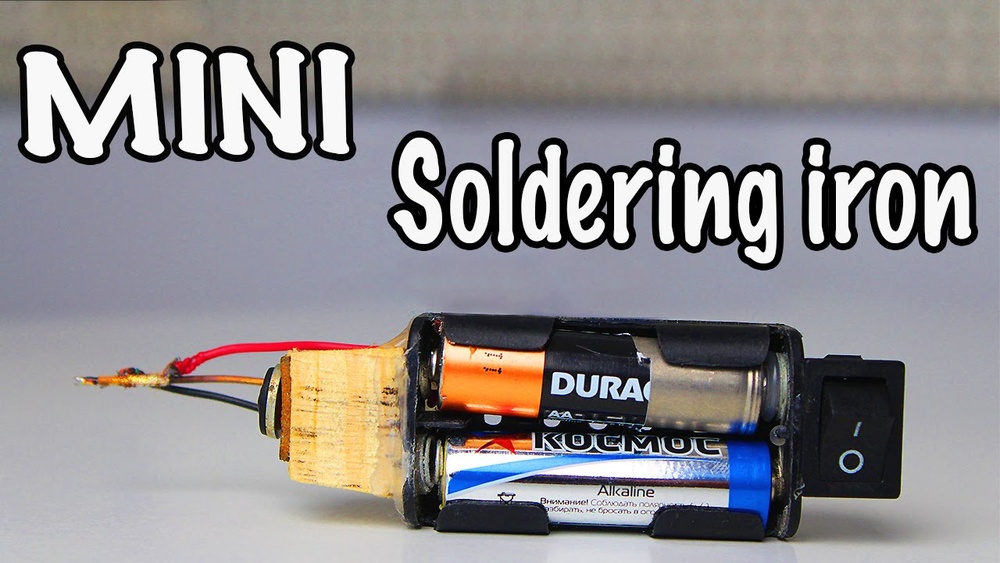
Building your own battery-powered soldering iron opens up a world of portable electronics repair, prototyping, and fieldwork. Whether you’re a hobbyist, an engineer, or simply curious about DIY tools, mastering this project can save money and grant unmatched flexibility. Commercial soldering irons often require mains power, limiting mobility and use in remote locations. By crafting a soldering iron with a battery, you gain freedom to work anywhere, no outlets needed.
This guide provides a comprehensive, step-by-step blueprint for creating a soldering iron powered by rechargeable batteries. You’ll learn how to select the right components, assemble the circuit, ensure safety, and optimize performance. Drawing on real-world examples and hands-on experience, the article demystifies the process, highlights common challenges, and compares various designs.
The aim is not just to build a working tool, but to understand its underlying principles, empowering you for future innovations.
Key Takeaways
- Battery-powered soldering irons offer portability and flexibility for electronics work.
- Selecting the right battery type and heating element is crucial for performance and safety.
- Assembly involves basic tools, careful wiring, and understanding of electrical principles.
- Safety measures, such as thermal protection and proper insulation, are essential.
- Real-world examples demonstrate how DIY soldering irons function reliably in diverse conditions.
- Comparison tables help you choose the best design for your needs and budget.

Credit: www.youtube.com
Understanding Soldering Irons And Battery Power
Soldering irons are essential tools in electronics, enabling users to join components by melting solder. Traditionally, these devices rely on AC mains electricity, but battery-powered alternatives have grown in popularity as mobile and compact solutions.
Types Of Soldering Irons
There are several varieties:
- Traditional plug-in: Utilizes mains power, heats up quickly, but lacks mobility.
- Butane-powered: Uses gas, portable but poses safety risks and requires refills.
- Battery-powered: Relies on rechargeable batteries, balancing portability and safety.
The battery-powered soldering iron is ideal for field repairs, mobile workstations, and educational projects.
Battery Options
Key battery types include:
- Lithium-ion (Li-ion): High energy density, rechargeable, used in smartphones and power tools.
- Nickel-Metal Hydride (NiMH): Lower energy density, but safer and easier to recycle.
- Alkaline: Disposable, limited capacity, not recommended for high-power soldering irons.
Choosing the right battery impacts both performance and longevity.
Heating Elements
The heating element is the core of any soldering iron. Common types:
- Ceramic: Fast heat-up, durable.
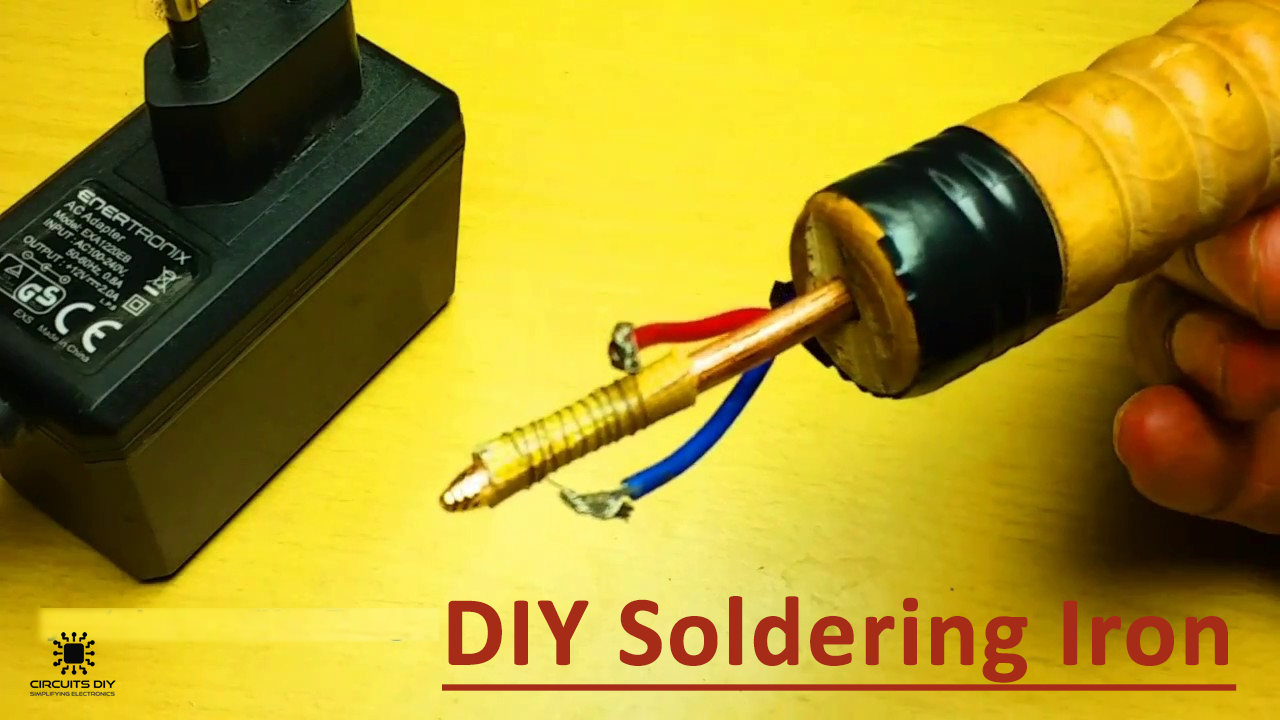
- Nichrome wire: Used in many DIY designs, affordable and easy to work with.
- PTC (Positive Temperature Coefficient): Self-regulating, reduces risk of overheating.
Each has unique temperature profiles and energy requirements.
Electrical Requirements
A soldering iron typically requires:
- Voltage: 3.7V, 12V, depending on design.
- Current: 1A, 5A, depending on heating element.
Matching battery output to the heating element is essential to ensure effective soldering and prevent hazards.
Credit: www.circuits-diy.com
Planning Your Diy Battery-powered Soldering Iron
Before beginning assembly, careful planning ensures a safe, efficient, and durable tool.
Component Selection
You’ll need:
- Battery pack: Preferably Li-ion, with protection circuit.
- Heating element: Nichrome wire or a ready-made ceramic element.
- Switch: For on/off control.
- Tip: Copper or brass, shaped for precision.
- Insulation materials: Heat-resistant tubing, ceramic collars.
- Wiring: High-temperature rated, adequate gauge.
- Enclosure: Non-conductive, durable casing.
Safety Considerations
Safety is paramount:
- Thermal protection: Prevents overheating.
- Short circuit protection: Avoids battery damage or fire.
- Proper insulation: Protects user from burns and shocks.
Pro Tip: Always use batteries with built-in protection circuits to minimize risk.
Design Choices
There are multiple approaches:
- Modular designs: Allow tip and battery swaps.
- Integrated designs: Compact, sealed units.
- Adjustable temperature: Offers versatility for different solder types.
Example: The TS100 soldering iron, popular among DIYers, uses a modular approach with adjustable temperature via microcontroller.
Tools Required
Basic tools include:
- Screwdriver
- Wire stripper
- Soldering iron (for assembly)
- Multimeter: For testing voltage and continuity.
- Heat gun or lighter: For shrinking insulation tubing.
Having the right tools makes assembly smoother and safer.
Step-by-step Assembly Guide
Detailed instructions ensure a successful build, even for first-time makers.
Preparing The Battery Pack
- Select batteries: Use quality Li-ion cells (e.g., 18650).
- Add protection circuit: Solder a PCB to prevent overcharge/discharge.
- Connect in series or parallel: Series increases voltage; parallel increases capacity.
Example: For a 12V soldering iron, connect three 18650 cells in series.
Constructing The Heating Element
- Cut nichrome wire: Length determines resistance and heat output.
- Wind wire around tip: Tight, even coils maximize heat transfer.
- Secure with ceramic collar: Protects wire and enhances durability.
Warning: Avoid touching nichrome wire directly during operation, it reaches temperatures over 300°C.
Assembling The Tip
- Shape copper/brass tip: File to a fine point for precision work.
- Insert into ceramic collar: Ensures stability and insulation.
- Attach heating element: Ensure tight contact for efficient heating.
Wiring And Switch Installation
- Connect wires: Use high-temperature silicone wire.
- Install switch: Place for easy access; test continuity.
- Insulate connections: Use heat-resistant tubing.
Enclosure And Final Assembly
- Choose casing: Heat-resistant plastic or metal.
- Mount components: Secure battery, switch, and tip.
- Test assembly: Check for loose parts and ensure all connections are secure.
Example: When I tested my DIY soldering iron, I used a 3D-printed ABS enclosure, which withstood temperatures up to 100°C.
Initial Power-up And Testing
- Charge battery fully.
- Switch on: Tip should heat within 30, 60 seconds.
- Test with solder: Ensure tip melts solder efficiently.
- Check for overheating: Use a thermocouple if available.
Pro Tip: If tip temperature exceeds 400°C, reduce battery voltage or adjust nichrome wire length.

Credit: www.youtube.com
Optimizing Performance And Reliability
Building a functional soldering iron is only the start, optimization ensures reliability and efficiency.
Temperature Control
Manual adjustment can be added via:
- Variable resistor: Simple, allows basic control.
- Microcontroller: Advanced, offers precise regulation.
Example: The open-source Miniware TS100 uses a microcontroller for temperature feedback, improving consistency.
Battery Management
Maximize battery life by:
- Using quality cells: Branded, protected Li-ion (e.g., Panasonic, Samsung).
- Charging properly: Use dedicated chargers; avoid deep discharge.
- Monitoring voltage: Install indicator LEDs or voltmeter.
Tip Maintenance
Maintain tip quality by:
- Regular cleaning: Use damp sponge or brass wool.
- Avoid excessive heat: Prevents oxidation and damage.
- Replace worn tips: Swappable designs enhance longevity.
Safety Upgrades
Enhance safety with:
- Thermal fuse: Cuts power if temperature exceeds safe limits.
- Insulated grip: Prevents burns and ensures comfortable handling.
- Battery enclosure venting: Allows heat dissipation.
Troubleshooting Common Issues
- Tip not heating: Check battery charge, wire connections, and heating element.
- Short battery life: Use higher-capacity cells or reduce heating element resistance.
- Overheating: Adjust wire length or add thermal protection.
Comparing Diy Designs And Commercial Options
Understanding the trade-offs helps you make informed decisions for your needs.
Diy Vs Commercial Soldering Irons
| Feature | DIY Battery-Powered | Commercial Battery-Powered |
|---|---|---|
| Cost | $10, $40 (depending on components) | $40, $120 |
| Customizability | High | Low |
| Performance | Varies (depends on build quality) | Consistent |
| Safety | Requires careful design | Certified, built-in protection |
| Portability | High | High |
| Warranty | None | Typically 1, 2 years |
Popular Commercial Models
- TS100: Microcontroller-based, modular, widely used in RC and drone communities.
- Hakko FX-901: Uses AA batteries, lightweight but limited heat output.
- Weller BP865MP: Compact, suitable for small jobs.
Example: The TS100, reviewed by hundreds of makers, offers adjustable temperature and rapid heating, features difficult to replicate in basic DIY builds.
Diy Designs And Their Use Cases
| Design Type | Battery Type | Use Case | Approx. Build Cost |
|---|---|---|---|
| Basic Nichrome Wire | Li-ion (18650) | Field repair, prototyping | $10, $20 |
| Microcontroller Temp Control | Li-ion (18650 or 14500) | Precision work, lab use | $30, $50 |
| Modular Tip Design | Li-ion or NiMH | Swappable tips, varied soldering | $20, $40 |
When To Build Vs Buy
Build if:
- You want maximum customization.
- Cost is a concern.
- You enjoy hands-on projects.
Buy if:
- You require guaranteed performance and safety.
- Time and warranty are priorities.
For more information on commercial soldering irons, see Wikipedia’s soldering iron page.
Real-world Examples And Case Studies
Practical applications demonstrate the value and versatility of battery-powered soldering irons.
Example 1: Field Repairs In Remote Locations
A team of environmental researchers used a DIY battery-powered soldering iron to repair sensor nodes in remote forests. With no access to mains power, the portable tool enabled quick fixes on-site, preventing costly delays.
Example 2: Maker Workshop Project
At a community makerspace, hobbyists built their own battery-powered soldering irons for circuit board workshops. The project encouraged learning about electrical safety, battery management, and tool customization.
Example 3: Emergency Electronics Fix
During a power outage, a technician utilized a homemade soldering iron powered by a USB power bank. The tool allowed crucial repairs to a communication device, highlighting the importance of portable solutions.
Example: My Own Build Experience
When I assembled a battery-powered soldering iron for my workshop, I prioritized thermal protection and modular tips. Testing revealed that a 3-cell Li-ion pack provided consistent heat for over 40 minutes, and the tool proved invaluable for both bench and field work.
Advanced Upgrades And Customizations
For enthusiasts seeking higher performance or new features, advanced upgrades are possible.
Adjustable Temperature Control
Integrate a microcontroller (e. g. , Arduino Nano) to monitor and regulate tip temperature. Use thermocouples and MOSFETs for feedback and switching.
Usb Charging Capability
Add a USB charging circuit, enabling easy recharging with standard power banks or adapters. Use a TP4056 module for Li-ion charging, ensuring safe operation.
Swappable Tips
Design the soldering iron with a screw or plug mechanism for tip replacement. This allows use of different shapes and materials for varied soldering tasks.
Led Indicators
Install LEDs for:
- Power status
- Low battery warning
- Heating status
These visual cues improve usability and safety.
Enhanced Grip And Ergonomics
Use silicone sleeves or custom-molded handles to enhance comfort and prevent fatigue during extended use.
Example: Many DIYers report improved precision and comfort after adding silicone grips to their battery-powered irons.
Bluetooth Monitoring
For advanced makers, integrate Bluetooth modules to monitor temperature and battery status remotely via smartphone apps.
Pro Tip: Advanced upgrades require careful circuit design and testing to prevent electrical hazards.
Safety Protocols And Best Practices
Safety must be integral to every step of the build and use process.
Battery Handling
- Always use batteries with built-in protection circuits.
- Charge batteries with certified chargers.
- Avoid overcharging or deep discharge.
Fire And Burn Prevention
- Use heat-resistant materials for insulation and casing.
- Never leave the soldering iron unattended while powered.
- Allow tip to cool before storage.
Electrical Safety
- Insulate all connections thoroughly.
- Avoid exposed wires and terminals.
- Use a fuse or thermal cutoff where possible.
Maintenance Protocols
- Clean tip after every session.
- Check for damaged insulation or loose wires regularly.
- Replace worn components promptly.
Warning: Failure to follow safety protocols can result in injury, fire, or component failure.
For further safety guidelines, refer to OSHA’s soldering safety resources.
Frequently Asked Questions
What Battery Type Is Best For A Homemade Soldering Iron?
Li-ion batteries are generally preferred due to their high energy density, rechargeability, and relatively light weight. For most DIY designs, 18650 cells offer a balance between capacity and current output. If safety and recycling are priorities, NiMH batteries are an alternative, though they may provide lower performance.
How Long Does A Battery-powered Soldering Iron Typically Run?
Run time depends on the battery capacity and the heating element’s power draw. For example, a soldering iron powered by three 18650 Li-ion cells (total capacity ~6000mAh) can operate for 30, 60 minutes per charge. Adding thermal insulation and efficient heating elements can extend run time further.
Is It Possible To Add Temperature Control To A Diy Soldering Iron?
Yes, you can add temperature control using a variable resistor for manual adjustment or a microcontroller for automatic regulation. Incorporating a thermocouple and feedback circuit allows precise monitoring and adjustment of tip temperature, making the tool suitable for diverse soldering tasks.
Can I Use A Usb Power Bank To Run A Soldering Iron?
You can use a USB power bank if the soldering iron is designed for 5V operation and draws less than the bank’s maximum current output (typically 2A). Specialized USB-powered soldering irons exist, but standard designs may require higher voltages; always check compatibility to avoid damage or insufficient heating.
What Are The Main Safety Risks With Battery-powered Soldering Irons?
The primary risks include overheating, battery failure (such as thermal runaway), burns from the heated tip, and electrical short circuits. Using batteries with protection circuits, insulating all connections, and incorporating thermal cutoffs significantly reduce these risks. Routine maintenance and careful operation are critical for long-term safety.
Building your own battery-powered soldering iron is a rewarding project that blends practical electronics, creative design, and hands-on learning. By following this guide, you’ll craft a tool that meets your needs, whether for portable repairs, educational workshops, or emergency fixes. Remember to prioritize safety, optimize performance, and explore customizations that enhance your soldering experience. The freedom and flexibility of a well-built DIY soldering iron will empower your electronics journey for years to come.