
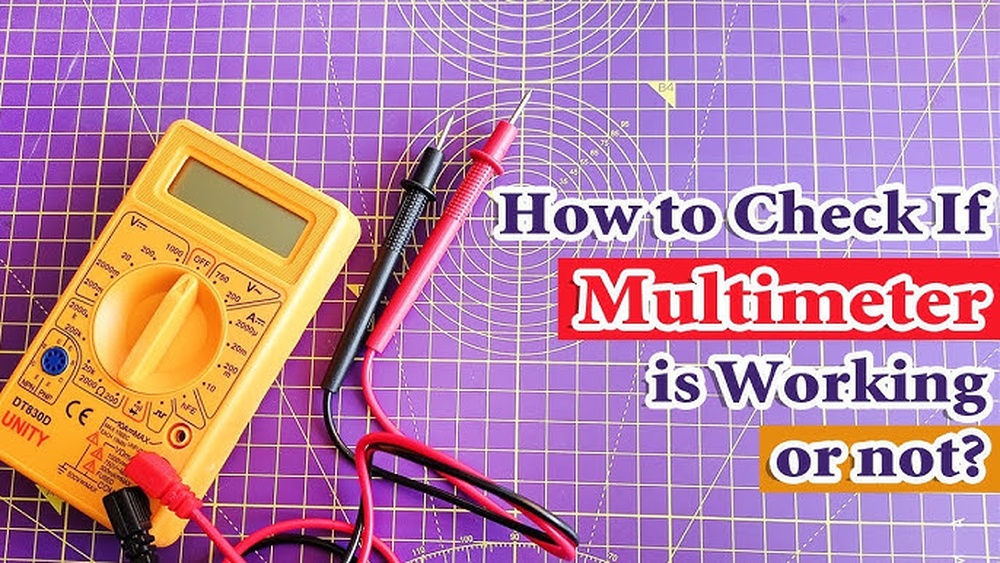
A multimeter is one of the most indispensable tools for anyone working with electronics, whether you’re a hobbyist, an electrician, or an engineer troubleshooting complex systems. It’s your go-to device for measuring voltage, current, resistance, and continuity. But what happens when the multimeter itself fails?
Misdiagnosing a faulty multimeter can lead to wasted hours, incorrect repairs, or even dangerous misreadings. Knowing how to determine if your multimeter is not working is a fundamental skill for both beginners and seasoned professionals.
This guide walks you through everything you need to know to confidently evaluate your multimeter’s health. We’ll cover the telltale signs of a malfunction, step-by-step diagnostic checks, and both simple and advanced troubleshooting techniques. Whether you’re holding your very first digital multimeter or managing a fleet of professional-grade instruments in an industrial setting, you’ll gain practical knowledge to keep your testing reliable and safe.
Key Takeaways
- Recognizing faulty multimeter signs prevents inaccurate readings and possible hazards.
- Step-by-step diagnostic tests help distinguish between user errors and true device failures.
- Comparing analog vs. digital multimeters clarifies unique troubleshooting steps for each type.
- Maintenance and calibration routines extend your tool’s lifespan and reliability.
- Real-world examples illustrate how misreadings can lead to costly mistakes or safety risks.
- Beginner-friendly and expert-level tips ensure usefulness for all skill levels.

Credit: www.youtube.com
Understanding Multimeter Basics
Before diagnosing problems, it’s essential to grasp how multimeters work and the different types available. This foundational knowledge helps identify what’s normal and what isn’t.
Types Of Multimeters
There are two main categories:
- Analog multimeters use a moving needle to display readings.
- Digital multimeters (DMMs) show numerical values on an LCD screen.
Each has its pros and cons:
| Feature | Analog Multimeter | Digital Multimeter |
|---|---|---|
| Display Type | Needle and scale | LCD digital readout |
| Accuracy | Moderate, can be hard to read precisely | High, clear numerical values |
| Durability | More robust to physical shocks | Can be sensitive to drops or impacts |
| Price Range | Generally lower | Wide range, from budget to high-end |
| Advanced Features | Few | Many (e.g., auto-ranging, data logging) |
How A Multimeter Works
A multimeter measures electrical quantities by connecting its probes to a circuit. You select a measurement mode, like voltage (V), current (A), or resistance (Ω), and the device uses internal circuitry to interpret the electrical properties and display the result.
Digital models convert analog signals to digital numbers for greater accuracy.
Common Use Cases
- Checking batteries for charge level
- Testing fuses for continuity
- Verifying circuit voltages during repairs
- Diagnosing faulty components in appliances
Understanding these basics ensures you know what to expect during use and what deviations signal trouble.

Credit: www.blikai.com
Signs Your Multimeter May Not Be Working
Recognizing when your multimeter is malfunctioning is crucial. Even experienced users can mistake a faulty meter for a circuit problem, leading to misdiagnoses.
Unusual Or No Display
- Blank screen (digital) or no needle movement (analog) often indicates a dead battery or internal failure.
- Flickering or partial display can point to a loose connection or LCD fault.
Consistent Zero Or Maxed-out Readings
- If every measurement shows zero, the meter may have a blown internal fuse, open circuit in probes, or dead battery.
- Maxed-out readings (e.g., “OL” or needle fully deflected) suggest overload protection is triggered, range setting is incorrect, or circuitry is damaged.
Inconsistent Or Fluctuating Readings
- Readings that jump randomly or don’t stabilize may mean dirty contacts, faulty rotary switches, or internal board issues.
- Pro Tip: Always test on a known-good voltage source (like a fresh 1.5V battery) to rule out circuit issues.
Audible Alerts Not Working
Many digital multimeters beep during continuity tests. If the beeper is silent despite a closed circuit, the sounder or related circuitry may be faulty.
Physical Signs Of Damage
- Cracked cases, burned areas, or melted probe leads are red flags for serious internal damage.
- Loose or broken selector switches can prevent proper function.
Battery Or Power Issues
- Battery compartment corrosion leads to poor contacts and unreliable power.
- Frequent battery drain may signal an internal short or damaged power management components.
Example: The Misleading Fuse
A professional technician once spent hours troubleshooting a “dead” circuit in industrial equipment. The real culprit? A multimeter with a blown internal fuse, silently returning zero for every measurement.

Credit: bluebirdsolar.com
Step-by-step Diagnostic Checks
When you suspect your multimeter isn’t working, a systematic approach helps pinpoint the problem efficiently. This section breaks down essential checks, from beginner basics to advanced troubleshooting.
1. Visual Inspection
- Check the display for cracks, missing segments, or nonfunctioning backlight.
- Inspect the probes and wires for frays, exposed metal, or broken insulation.
- Examine rotary switches and buttons for smooth operation.
2. Power And Battery Test
- Open the battery compartment and verify correct battery placement.
- Test the battery voltage with another working multimeter, replace if it’s below the recommended threshold (usually 1.2V for AA/AAA or 9V for block batteries).
- Check for corrosion or bent terminals inside the battery holder.
3. Fuse Check
Most multimeters have internal fuses protecting the current measurement circuit.
- Locate the fuse (consult the manual, usually beneath a back cover).
- Remove and visually inspect the fuse for a broken filament.
- For certainty, test continuity across the fuse with another multimeter.
4. Self-test With Known Source
- Set the multimeter to DC voltage.
- Touch the probes to a fresh AA battery, expect ~1.5V. A significantly different reading indicates a problem.
- For resistance, short the probes together; the display should read close to zero ohms.
5. Probe And Lead Verification
- Swap in a known-good probe set; many errors are due to damaged or internally broken leads.
- Gently wiggle the wires while measuring continuity, intermittent readings reveal internal breaks.
6. Range And Mode Settings
- Double-check that you’ve selected the correct measurement mode and range.
- For auto-ranging DMMs, try cycling power to reset the processor.
7. Advanced Test: Signal Injection
For advanced users, inject a small AC or DC voltage (from a signal generator or power supply) to test the meter’s measurement capability across different ranges.
Example: Diagnosing A Dead Display
In my experience, a nonresponsive digital display was due to a battery terminal bent out of position after a drop. Simple adjustment restored normal operation, proof that physical inspection is always the first step.
Common Causes Of Multimeter Failure
Understanding why multimeters fail helps you prevent issues and quickly identify faults. Most failures fall into a few categories, each with distinct symptoms.
Physical Damage
- Drops and impacts often crack displays or break delicate internal solder joints.
- Exposure to moisture corrodes internal circuitry and contacts.
Electrical Overload
- Attempting to measure voltage or current beyond the multimeter’s rated range can destroy input components or blow fuses.
- Pro Tip: Always start at the highest range and work down to avoid overload.
Battery-related Issues
- Old or leaking batteries create voltage drops, erratic readings, or total failure.
- Improper storage (hot or humid environments) accelerates battery deterioration.
Worn Or Damaged Probes
- Frequent bending or harsh pulling breaks internal wires.
- Loose connections between probe tips and sockets cause intermittent operation.
Component Aging
- Rotary switches can accumulate dust or oxidation, leading to unreliable contacts.
- Capacitors and resistors inside the meter drift out of specification over years.
Manufacturing Defects
- Lower-cost models may have poor quality control, leading to early failures.
- Example: A batch of budget DMMs was recalled after widespread reports of “stuck” voltage readings due to faulty microcontrollers (Wikipedia).
Environmental Factors
- Electromagnetic interference (EMI) in industrial settings can confuse sensitive meters.
- High humidity or chemical exposure (e.g., in labs) accelerates corrosion.
Troubleshooting Analog Vs. Digital Multimeters
Both analog and digital multimeters share core functions, but their failure modes and troubleshooting steps differ. Understanding these differences ensures correct diagnosis.
Analog Multimeter Troubleshooting
Common Failure Points
- Stuck or dragging needle: Often caused by mechanical shock or dust in the movement.
- Zero adjustment error: The zeroing knob fails to set the needle to zero on the scale.
- Burned-out meter movement: Usually from overcurrent.
Diagnostic Steps
- Gently tap the case to see if the needle frees.
- Use the zero adjust to set the needle, if it won’t move or jumps erratically, the movement is likely damaged.
- With probes shorted, resistance should read zero; if not, suspect internal wiring.
Digital Multimeter Troubleshooting
Common Failure Points
- Dead LCD display: Battery, LCD, or controller issue.
- Frozen readings: Processor glitch; try power cycling.
- Ghost readings: Residual charge in input circuitry; discharge by shorting inputs.
Diagnostic Steps
- Remove batteries for several minutes to reset the processor.
- For “OL” (overload) errors, check range settings and test leads.
- Use the built-in self-test (if available) for diagnostic codes.
Table: Key Troubleshooting Differences
| Troubleshooting Step | Analog Multimeter | Digital Multimeter |
|---|---|---|
| Display Issue | Check needle movement, zero adjust | Check LCD, battery, controller |
| Reading Stuck | Tap case, check for mechanical jam | Reset power, clear processor |
| Continuity Test | Listen for needle deflection | Listen for beep, check digital reading |
| Probes | Check for visible wear | Check for loose digital connectors |
Advanced Testing And Calibration Techniques
For those seeking to ensure the highest accuracy and reliability, advanced diagnostic and calibration routines are essential. These go beyond basic checks and address subtle performance issues.
Using Reference Voltage And Resistance Standards
- Reference voltage sources (e.g., precision 5V) allow you to verify voltage measurement accuracy.
- Precision resistors (1% tolerance or better) let you check resistance ranges.
Signal Generator Testing
- Connect a function generator to the multimeter’s input.
- Sweep through different voltages and frequencies, comparing readings to known values.
Calibration Procedures
Professional calibration involves:
- Comparing the multimeter’s readings to a certified calibration instrument.
- Adjusting internal trimpots or digital calibration routines (on advanced models) to bring readings within specification.
Warning: Only qualified personnel should attempt internal calibration or adjustment, as incorrect procedures may void warranties or damage the device.
Environmental Compensation
- For best results, perform tests at standard room temperature (20, 25°C), as extreme temperatures can affect accuracy.
- Shield the meter from strong EMI sources during testing.
Example: Industrial Maintenance Team
At a manufacturing plant, an industrial maintenance team discovered that several DMMs were reporting voltage 0. 1V lower than reference. A scheduled calibration with certified standards revealed the meters had drifted out of spec after two years of heavy use, prompting a recalibration and update of maintenance schedules.
Preventive Maintenance And Best Practices
Regular care and smart operating habits can extend your multimeter’s lifespan and reduce failures.
Routine Cleaning
- Wipe down the exterior with a damp, lint-free cloth.
- Clean probe tips with alcohol to ensure good contact.
Battery Care
- Replace batteries annually or as soon as the low-battery indicator appears.
- Remove batteries during long-term storage to prevent leakage.
Proper Storage
- Store in a protective case to avoid dust, moisture, and physical shocks.
- Keep away from strong magnets or high-voltage sources.
Scheduled Calibration
- For professional users, annual calibration is recommended by most manufacturers (Fluke).
- Document calibration dates and results for traceability.
Probe And Lead Inspection
- Regularly flex and visually inspect leads for breaks.
- Replace probes at the first sign of wear.
User Training
- Ensure all users understand correct range selection and basic safety.
- Beginners should practice on low-voltage, low-risk circuits before attempting advanced measurements.
Real-world Examples And Case Studies
Learning from practical cases highlights the importance of correctly diagnosing multimeter faults.
Case 1: Automotive Repair Gone Wrong
A car enthusiast misdiagnosed a battery issue as a bad alternator, only to discover that their multimeter was reading 2V low due to a dying battery. The error cost them hours and an unnecessary alternator swap.
Case 2: Home Appliance Troubleshooting
A homeowner attempting to fix a washing machine encountered fluctuating voltage readings. Swapping to a friend’s multimeter instantly revealed the real voltage, proving their original meter had a broken probe wire.
Case 3: Safety Incident In An Electrical Substation
An electrical technician in a substation relied on a DMM with a blown fuse. The meter read zero during a high-voltage test, nearly leading to a dangerous assumption that a live wire was safe. A backup meter prevented a serious accident.
Case 4: Classroom Laboratory
In a university electronics lab, students consistently failed an experiment due to a faulty analog multimeter that couldn’t zero the needle. Once the instructor swapped in a calibrated digital model, the readings matched expected values.
Case 5: Manufacturing Quality Control
A quality control engineer noticed a pattern of failed circuit boards. Investigation traced the issue to a multimeter with a drifting reference voltage, leading to incorrect pass/fail assessments. After recalibration, defect rates dropped dramatically.
Frequently Asked Questions
What Should I Do If My Digital Multimeter Displays “ol” On All Settings?
If your DMM displays “OL” (overload) regardless of setting, it could indicate a blown fuse, failed internal circuitry, or that the measurement range is set incorrectly for the input. Start by checking the fuse and verifying the correct range. If the problem persists across all functions, professional servicing may be required.
Can I Repair A Multimeter Myself, Or Should I Seek Professional Help?
Simple repairs, such as replacing fuses, batteries, or probes, are usually safe for users. If the issue involves internal circuitry, calibration, or display replacement, it’s advisable to consult a professional technician or the manufacturer. Attempting complex repairs may void your warranty or further damage the device.
How Often Should A Multimeter Be Calibrated For Accurate Readings?
For non-critical home or hobby use, annual calibration is typically sufficient. In professional or industrial environments, especially those requiring strict measurement accuracy, calibration should be performed at least once a year or according to your organization’s quality standards. Check the manufacturer’s recommendations for your specific model.
Why Does My Multimeter Drain Batteries Quickly?
Rapid battery drain can result from leaving the meter powered on, using low-quality or old batteries, or internal faults such as a short circuit or failing power management IC. If batteries deplete unusually fast even with the device off, have the meter inspected for internal shorts.
What Features Should I Look For In A Replacement Multimeter If Mine Cannot Be Repaired?
Key features to consider include accuracy, measurement range, safety ratings (such as CAT III or CAT IV), auto-ranging capability, and durability. For advanced users, options like data logging, temperature measurement, and true RMS (root mean square) readings may be beneficial.
Always select a model certified by recognized safety agencies.
Ensuring your multimeter is working correctly is not just about convenience, it’s about safety and effective troubleshooting. By following the steps and best practices outlined above, you’ll gain confidence in your measurements, avoid costly mistakes, and ensure your tool serves you reliably for years.
Whether you’re just starting out or refining expert-level skills, a healthy multimeter is your most trusted partner in the world of electronics.