
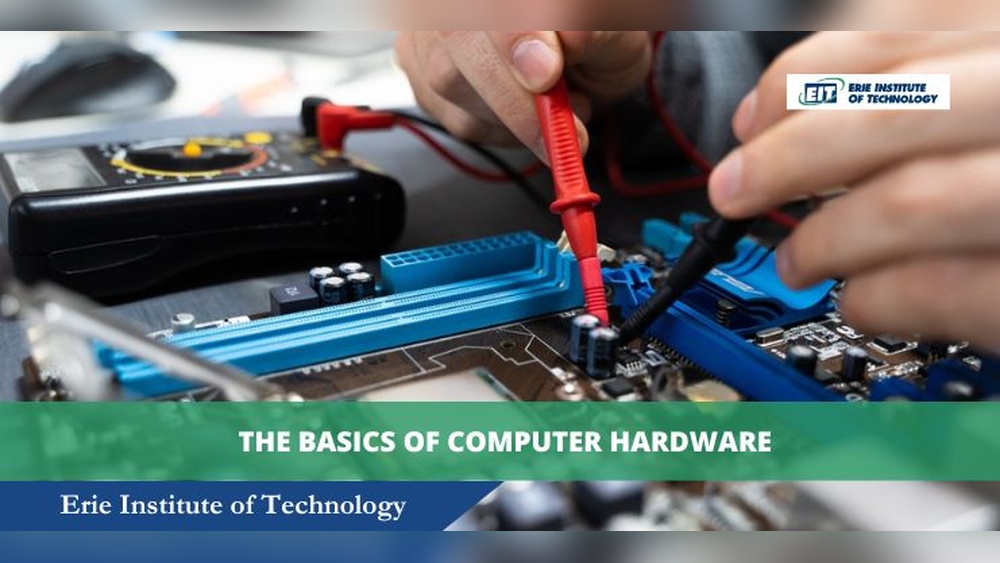
A multimeter is often seen as a humble tool in the toolkit of computer technicians, but its significance in computer system servicing is profound. Whether you’re a beginner eager to understand basic diagnostics or an advanced technician troubleshooting complex hardware issues, the multimeter is your indispensable companion.
By providing precise measurements of voltage, current, and resistance, a multimeter helps uncover hidden problems, prevent costly mistakes, and ensure the safety and longevity of computer components.
In my experience, many system failures that seem mysterious at first glance are quickly unraveled using a multimeter. This article explores why a multimeter is so important in computer system servicing, guiding both novices and seasoned pros through essential uses, advanced techniques, and practical troubleshooting.
Along the way, you’ll discover real-world examples, actionable tips, and the confidence to use a multimeter safely and effectively.
Key Takeaways
- A multimeter is crucial for diagnosing, maintaining, and repairing computer hardware.
- It enables accurate measurement of voltage, current, and resistance, helping prevent hardware damage.
- Beginners can use a multimeter for basic checks, while advanced users can perform in-depth diagnostics.
- Understanding multimeter readings ensures safer, more reliable computer servicing.
- Real-world examples and data tables highlight the practical impact of multimeter use.
- This article covers both foundational knowledge and advanced guidance for every skill level.
Credit: www.alamy.com
Understanding The Multimeter: What It Is And Why It Matters
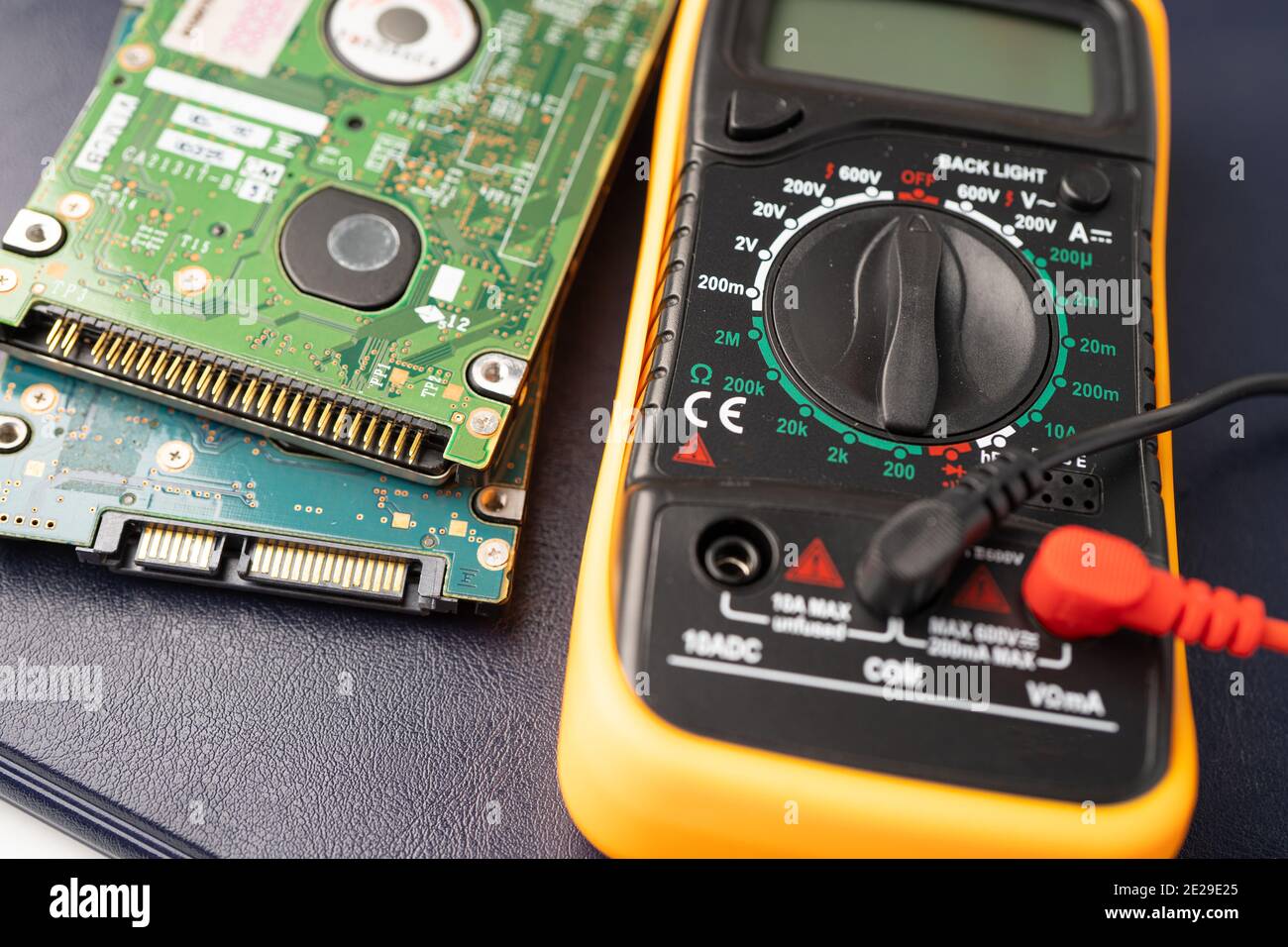
A multimeter, sometimes called a volt/ohm meter (VOM), is a handheld instrument capable of measuring electrical values such as voltage (V), current (A), and resistance (Ω). In computer servicing, these measurements are fundamental to evaluating the health and performance of internal components.
The Basic Functions Of A Multimeter
A multimeter typically offers three primary functions:
- Voltage Measurement (V): Measures the electrical potential difference between two points. Essential for checking power supply outputs and motherboard voltages.
- Current Measurement (A): Measures the flow of electric charge. Useful for diagnosing short circuits and excessive power draw.
- Resistance Measurement (Ω): Measures how much a component resists the flow of current. Helps verify the integrity of cables, traces, and components.
Some advanced multimeters also offer:
- Continuity Testing: Checks if a circuit is complete.
- Diode Testing: Evaluates the health of diodes in power supplies.
- Capacitance Measurement: Useful for troubleshooting capacitors on motherboards.
Types Of Multimeters: Analog Vs. Digital
Modern computer technicians almost exclusively use digital multimeters (DMMs) due to their accuracy, ease of reading, and additional features. Analog multimeters, with their needle dials, are less common but still found in some educational settings.
| Feature | Analog Multimeter | Digital Multimeter |
|---|---|---|
| Display | Needle dial | Digital LCD/LED |
| Accuracy | Lower | High |
| Ease of Use | Moderate | Easy |
| Price Range | Lower | Wide (basic to advanced) |
| Extra Features | Few | Many |
Why Multimeter Use Is Critical In Computer Servicing
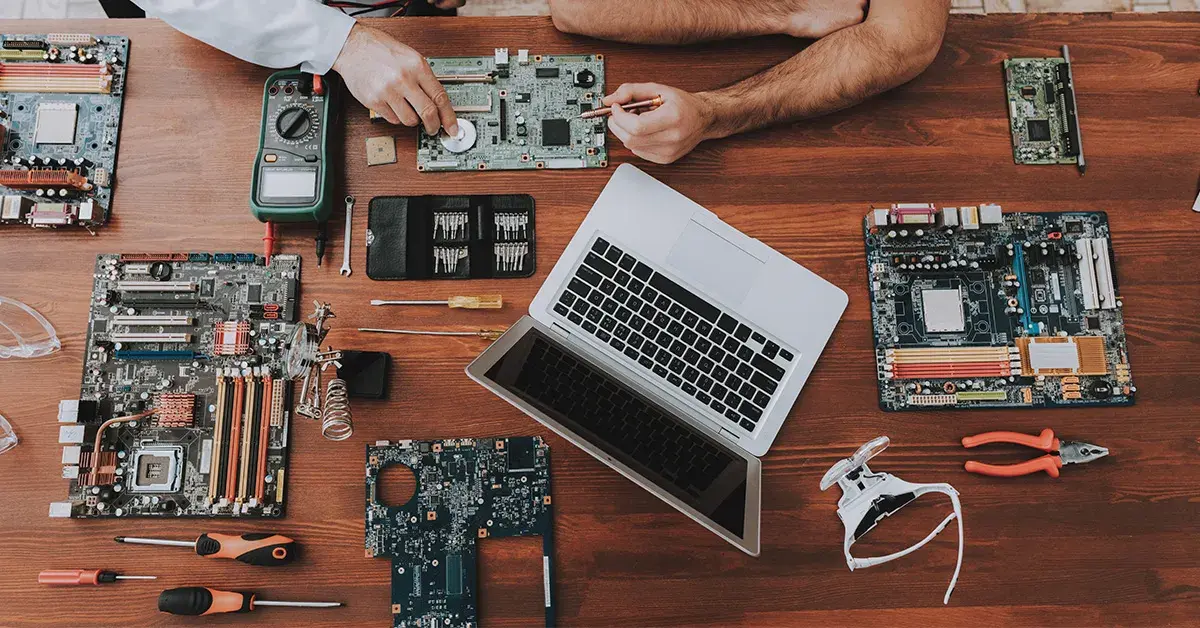
Computers rely on precise voltages and stable currents to operate correctly. Even minor deviations can cause instability, random restarts, or permanent damage. By using a multimeter, technicians can:
- Confirm that the power supply unit (PSU) delivers correct voltages.
- Check for dangerous short circuits before powering up.
- Diagnose faulty capacitors or resistors on the motherboard.
- Ensure USB ports and peripheral connections provide safe, correct power.
Without a multimeter, these tasks rely on guesswork, increasing the risk of undetected faults or accidental damage.
Credit: www.cellsmartpos.com
Essential Multimeter Applications In Computer System Servicing
A multimeter’s versatility shines in its wide range of applications during computer repair, maintenance, and upgrades. Both beginners and experienced professionals benefit from mastering these core uses.
Checking Power Supply Voltages
The power supply unit (PSU) is the heart of a computer’s electrical system. Faulty PSUs are a leading cause of hardware failures. Using a multimeter to verify the voltages on the PSU’s output connectors (such as ATX 24-pin and 4/8-pin CPU connectors) is essential.
- Set the multimeter to DC voltage.
- Probe the correct pins (refer to the PSU’s documentation or reputable pinout charts).
- Compare the readings with the required values (typically +3.3V, +5V, +12V).
A deviation of more than ±5% from the specified voltage can indicate a failing PSU or a shorted component.
Diagnosing Motherboard And Component Issues
Motherboards contain intricate circuits, capacitors, and resistors. A multimeter can:
- Detect open circuits (broken traces or failed solder joints).
- Measure resistance across components to check for shorts.
- Test the health of capacitors by checking for correct capacitance and absence of shorts.
Example: If a computer does not power on, using a multimeter to check voltage at the motherboard’s power input quickly distinguishes between a dead PSU and a motherboard issue.
Verifying Continuity In Cables And Connectors
Loose or broken cables often cause intermittent failures. Continuity testing with a multimeter ensures:
- Internal power cables are intact.
- Data cables (SATA, USB) have no internal breaks.
- Front panel connectors are properly wired.
Simply set the multimeter to continuity mode, place probes at both ends of the cable, and listen for a beep indicating a continuous path.
Testing Cmos Batteries
A depleted CMOS battery can cause BIOS errors and loss of system settings. Measuring the battery voltage (typically 3V for CR2032) helps determine if replacement is needed.
Assessing Usb Ports And Peripheral Power
USB ports should deliver a stable 5V. Using a multimeter to test the voltage directly at the port can prevent device malfunctions and identify failing motherboard circuits.
Step-by-step Guide: Using A Multimeter For Computer Diagnostics
A multimeter is only as effective as the technician using it. Here’s a practical guide for both beginners and advanced users, focusing on essential safety and accuracy.
Preparing For Safe Measurement
- Turn off the computer and unplug the power cord before opening the case.
- Use anti-static precautions (wear a wrist strap or touch a grounded metal object).
- Set the multimeter to the appropriate function (DC voltage for PSUs, continuity for cables, etc. ).
- Double-check probe placement before making contact to avoid shorts.
Warning: Measuring current directly in-line requires breaking the circuit; improper technique can damage components.
Measuring Power Supply Voltages: A Beginner’s Example
- Plug the black probe into the COM (common) port and the red probe into the VΩmA port.
- Set the dial to DC voltage (V, ).
- Insert the black probe into a black (ground) wire and the red probe into a colored voltage wire (e.g., yellow for +12V).
- Read the display. Compare the value to the PSU’s rated output.
Example: If the +12V rail reads only 11.2V under load, this could indicate a weak power supply.
Continuity Testing For Cables
- Set the multimeter to continuity mode (often marked with a soundwave symbol).
- Touch the probes to each end of the wire or cable.
- A beep indicates continuity; silence suggests a break.
Advanced Technique: Diagnosing Short Circuits
Experienced technicians use the resistance setting to:
- Probe between power and ground on the motherboard (with power off).
- A very low resistance (close to 0Ω) may indicate a shorted component or trace.
- Isolate the faulty region by probing systematically across different sections.
Real-world Case Study: Laptop No Power Diagnosis
A laptop that fails to power on can be daunting. Using a multimeter:
- Step 1: Check the charger output voltage.
- Step 2: Test voltage at the motherboard input.
- Step 3: Probe power rails across the board.
In one instance, I traced the issue to a faulty power jack. The multimeter revealed no voltage reaching the board, confirming a broken internal connection.

Credit: tradecolleges.org
Advanced Troubleshooting: Beyond The Basics
As your skills grow, the multimeter opens up advanced diagnostic possibilities for computer servicing. Here’s how expert technicians use it to tackle complex problems.
Testing Voltage Regulators And Mosfets
Motherboards and graphics cards use voltage regulators and MOSFETs to convert and distribute power. A multimeter helps:
- Measure input and output voltages of regulators.
- Test for shorted MOSFETs by checking resistance between source and drain pins.
- Identify failed components before replacing expensive boards.
Analyzing Power Consumption And Current Draw
Some digital multimeters can measure current up to several amps. By connecting the meter in series with a component, technicians can:
- Assess if a device is drawing excessive current, indicating a short or failing part.
- Compare readings to manufacturer specifications for safe operation.
Pro Tip: Use a clamp meter for non-invasive current measurement where possible.
Detecting Ground Loops And Electrical Noise
Computers are sensitive to ground loops and stray electrical noise, which can cause instability or data errors. A multimeter can:
- Measure voltage differences between various ground points.
- Help pinpoint improper grounding or shielding in system setups.
Testing Laptop And Peripheral Power Adapters
Many laptop failures originate from bad power adapters. A multimeter can verify:
- Output voltage matches the label.
- No AC ripple is present (advanced meters only).
- Connector integrity by testing continuity and resistance.
Example: Diagnosing A Faulty Usb Device
A user complains that their USB external drive intermittently disconnects. Using a multimeter, a technician checks:
- USB port voltage under load.
- Cable continuity.
- Resistance at the connector.
The test finds a loose ground wire in the cable, and replacing it solves the issue.
Practical Tips For Beginners: Building Multimeter Confidence
If you’re new to multimeters, the learning curve can feel steep. Here are actionable steps and tips to build confidence and accuracy.
Start With Familiarization
- Read the user manual for your specific multimeter model.
- Practice measuring known values (e.g., AA battery voltage).
- Learn to interpret common symbols and settings.
Safety First
- Always power down and unplug equipment before measuring resistance or continuity.
- Never attempt to measure mains AC unless trained and using a CAT-rated meter.
- Use only the correct probe ports for each measurement.
Create A Testing Routine
- Develop a checklist for each service call: PSU voltages, cable continuity, battery voltage.
- Record your readings for future reference and trend analysis.
- Label your probes and keep them in good condition.
Leverage Online Resources
Plenty of reputable guides and video tutorials are available from sites like the Fluke Digital Multimeter Guide.
Example: First-time Multimeter Use
A beginner suspects a dead CMOS battery. Following instructions, they set the multimeter to 20V DC, place the probes on the battery, and see a reading of 2. 1V, indicating the battery needs replacement. This simple test saves time and prevents BIOS errors.
Comparing Multimeter Models For Computer Servicing
Choosing the right multimeter is important. Both beginners and professionals have different needs, so let’s compare popular models across key features.
| Model | Type | Key Features | Approx. Price (USD) | Best For |
|---|---|---|---|---|
| AstroAI AM33D | Digital | Basic voltage, resistance, continuity | $15 | Beginners, Students |
| Fluke 117 | Digital | True RMS, non-contact voltage, backlight | $180 | Professionals |
| Extech EX330 | Digital | Temperature, frequency, capacitance | $60 | Enthusiasts |
| Analog VOM | Analog | Basic, no batteries for voltage | $20 | Education, Legacy Systems |
Pro Tip: For computer servicing, a digital multimeter with auto-ranging and clear labeling is ideal. Budget models work for occasional home use, but professionals benefit from advanced safety and accuracy features.
Preventing Damage And Ensuring Safety With A Multimeter
Beyond diagnostics, a multimeter is a key safety tool. Many hardware failures and even personal injuries are preventable with systematic checks.
Preventing Short Circuits
Before powering up a new build or recently repaired system:
- Use the continuity function to check for accidental shorts between power rails and ground.
- Inspect for solder bridges or misplaced screws.
Verifying Power Integrity
A multimeter ensures that all components receive correct voltages, preventing:
- Overvoltage damage: Which can fry chips and capacitors.
- Undervoltage issues: Causing instability, reboots, or data loss.
Avoiding Electrostatic Discharge (esd)
While not directly measured by a multimeter, proper use of anti-static precautions during testing reduces ESD risk, which is a leading cause of mysterious hardware failures.
Detecting Early Signs Of Component Failure
- Weak PSUs often show voltage sag under load before failing outright.
- Failing capacitors may lose capacitance or show high ESR (equivalent series resistance), both detectable with advanced multimeters.
Example: Preemptive Psu Testing
A technician regularly checks PSU voltages during routine maintenance. An early detection of low +5V output prompts a replacement, preventing a costly server outage.
Real-world Examples And Case Studies
To illustrate the impact of multimeter use, let’s explore some real-world scenarios from the field.
Example 1: Diagnosing Intermittent Power Loss
A desktop PC would randomly shut down. The technician used a multimeter to check PSU outputs and found the +12V rail dropped to 10. 8V under load. Replacing the power supply resolved the issue and restored system stability.
Example 2: Usb Device Not Recognized
A user’s USB keyboard stopped working. A multimeter confirmed the port supplied only 4. 2V, below the required 5V. The technician traced the issue to a failing motherboard voltage regulator.
Example 3: Laptop Battery Not Charging
A laptop battery wouldn’t charge, but the charger output tested fine. The multimeter revealed a broken trace on the motherboard’s charging circuit, which was repaired for a fraction of the replacement cost.
Example 4: Server Room Maintenance
During scheduled maintenance, a technician used a multimeter to verify all server PSUs delivered correct voltages. One unit was found out of tolerance and replaced, preventing downtime for dozens of users.
Example 5: Diy Pc Build Checklist
A beginner building their first PC used a multimeter to check for shorts before powering up. This simple step avoided damaging the motherboard due to an accidental misplaced standoff.
Advanced Suggestions And Multimeter Best Practices
For those aiming to advance their skills, here are deeper insights and recommendations for maximizing the value of a multimeter in computer system servicing.
Mastering Measurement Techniques
- Auto-ranging: Use auto-ranging models to avoid incorrect range selection.
- Back-probing: Gently insert probes into connector backs without disassembling cables.
- Hold Function: Use data-hold features to capture readings in tight spaces.
Combining Tools For In-depth Diagnostics
- Pair your multimeter with an oscilloscope for observing rapid voltage fluctuations.
- Use thermal cameras to detect heat on overloaded components after measuring current.
Developing A Troubleshooting Flowchart
- Start with PSU and power rails.
- Move to motherboard voltage regulators and critical chips.
- Check all connectors and external ports.
- Record and compare values against manufacturer documentation.
Investing In Quality Equipment
- Choose meters with CAT II/III ratings for added safety.
- Regularly calibrate your multimeter for reliable accuracy.
Staying Updated With Industry Best Practices
Follow communities and resources like the Wikipedia Multimeter Guide and leading hardware forums for evolving diagnostic methods.
Frequently Asked Questions
What Multimeter Features Should A Beginner Prioritize For Computer Servicing?
Beginners should look for auto-ranging capability, a clear digital display, and easy-to-use continuity and voltage measurement functions. A basic digital model with these features is sufficient for most routine computer diagnostic tasks.
Can A Multimeter Damage Computer Components If Used Incorrectly?
Yes, improper probe placement or setting the meter to the wrong function (such as measuring current directly across a voltage source) can cause short circuits or component damage. Always read the manual and double-check settings before testing.
How Often Should I Calibrate My Multimeter For Computer Servicing?
For non-critical home or hobby use, annual calibration is usually sufficient. Professionals servicing sensitive or high-value equipment should follow the manufacturer’s recommendations, which may require more frequent calibration to maintain accuracy.
Are There Any Computer Problems A Multimeter Cannot Diagnose?
A multimeter cannot directly diagnose software issues, intermittent logic faults, or high-frequency signal problems. It’s best for power, continuity, and basic component checks. For deeper hardware analysis, tools like oscilloscopes or logic analyzers may be necessary.
What Is The Safest Way To Use A Multimeter On A Live Computer System?
For safety, only test voltages at accessible points like PSU connectors or USB ports, and never probe inside a running device unless absolutely necessary and you are trained to do so. Always use insulated probes and avoid contact with high-voltage sections.
A multimeter is more than just a tool, it’s a technician’s first line of defense in preventing hardware failure, ensuring safety, and diagnosing problems accurately. By mastering its use, both beginners and advanced technicians can approach computer system servicing with greater confidence and professionalism.
With practice and adherence to safety protocols, the multimeter remains an essential ally in every successful repair and maintenance operation.