
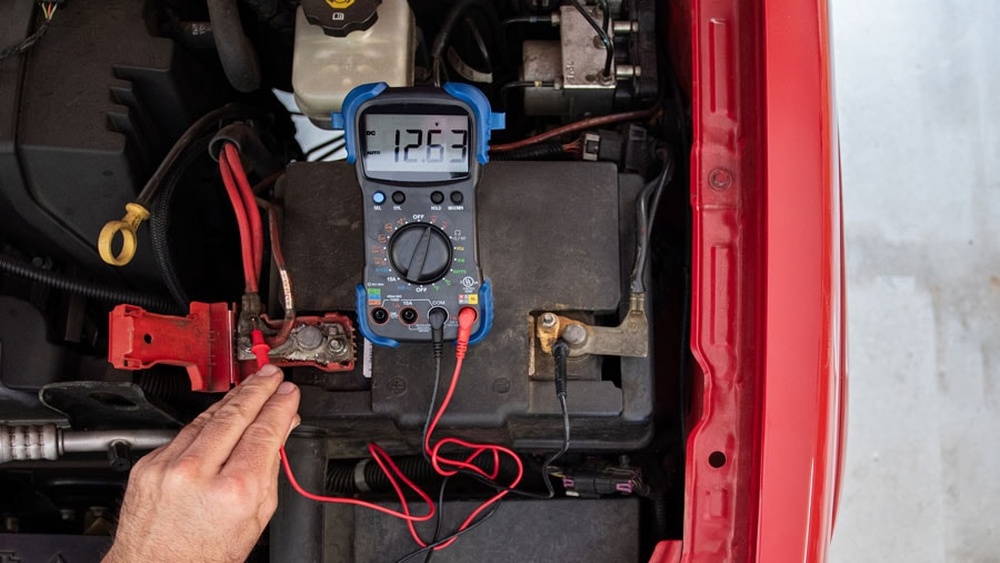
Few tools are as essential in electronics, automotive diagnostics, and household troubleshooting as the digital multimeter. Whether you’re a professional electrician or a DIY enthusiast, a multimeter’s ability to measure voltage, current, and resistance is invaluable. Yet, as reliable as these devices are, their accuracy is only as good as the power supply within, usually a single battery. A weak or depleted battery can cause misleading readings, confusing error messages, and sometimes even device failure. For beginners, the signs of a low battery might be subtle; for advanced users, knowing the nuances can mean the difference between safety and disaster.
Understanding when your multimeter’s battery is low isn’t just about keeping your tool functional, it’s about ensuring measurement accuracy, protecting your equipment, and, most importantly, your safety. This comprehensive guide breaks down both basic and advanced indicators of low battery, offers troubleshooting steps, and provides actionable advice for extending battery life.
Whether you’re just starting out or looking to deepen your technical expertise, you’ll find practical guidance and expert tips to keep your multimeter working at its best.
Key Takeaways
- A low multimeter battery can cause inaccurate readings, erratic display behavior, or complete device shutdown.
- Both digital and analog multimeters display distinct low battery symptoms, but digital models often have clearer indicators.
- Regular battery checks and proper storage significantly extend the lifespan and reliability of your multimeter.
- Advanced users can leverage internal diagnostics and calibration routines to detect subtle battery-related errors.
- Choosing the right replacement battery and following safe handling procedures prevents device damage and personal harm.

Credit: oxmaint.com
Understanding Multimeter Battery Basics
A multimeter’s battery is its heartbeat, powering the internal circuitry that measures and displays electrical values. While this may seem straightforward, the type of battery, its expected lifespan, and the device’s power management greatly influence when and how low battery issues arise.
Types Of Multimeter Batteries
Most handheld multimeters use one of the following:
- 9V Alkaline Batteries: Common in many affordable and mid-range digital multimeters.
- AA or AAA Batteries: Some models, especially analog or compact units, use these.
- Coin Cell Batteries (e.g., CR2032): Found in mini-multimeters or pen-style devices.
- Rechargeable Li-ion Packs: Used in premium, industrial-grade meters.
The battery type affects not only runtime but also the way low battery symptoms manifest. For example, 9V batteries tend to deliver consistent voltage until near depletion, then drop rapidly, while AA/AAA batteries may show gradual declines.
Average Battery Lifespan
Battery life varies by usage, display type, and power-saving features. According to Fluke, a leading multimeter manufacturer, a typical 9V battery in a standard digital multimeter lasts 200 to 500 hours of active use (Fluke). However, factors like backlight usage, ambient temperature, and frequency of measurements can shorten or extend this period.
Why Low Battery Is A Critical Issue
A depleted battery isn’t just inconvenient, it can compromise the accuracy of your readings. Digital circuits require stable voltage; when battery voltage drops below a threshold, measurement errors, data corruption, or even device malfunction can occur. For analog meters, a weak battery may affect the ohmmeter function but not voltage/current measurements.
Pro Tip: Always check your multimeter’s battery before undertaking critical measurements, especially in safety-sensitive environments.
Common Signs Your Multimeter Battery Is Low
Recognizing the telltale signs of a low battery is crucial. While some indicators are obvious, others require a more trained eye. Both beginners and advanced users should familiarize themselves with these warning signals to avoid misdiagnosis and faulty readings.
Display Anomalies
The most common and immediate sign is display malfunction. Watch for:
- Dim or Flickering Display: LCD or LED screens may appear faint, flicker, or fail to illuminate.
- Unstable Readings: Measurements jump erratically or fail to settle.
- Partial Segments: Some numbers or icons on the screen don’t fully appear.
- Low Battery Icon: Most digital meters show a battery symbol when voltage drops below a set point.
Inaccurate Or Inconsistent Measurements
A low battery can cause:
- Unexpected Zeroes or Nines: The display might lock at 0 or show nonsensical values (e.g., all 9s or 1s).
- Slow Response Time: The meter takes longer than usual to stabilize on a reading.
- Random Auto-Shutoff: The device powers down abruptly during use.
Error Messages And Audible Alerts
Many modern multimeters offer enhanced alerts:
- “LOBAT” or “BAT” Messages: Text-based warnings on the display.
- Beeping or Chimes: Repetitive sounds signaling a critical battery state.
- Flashing Symbols: Some meters flash the battery icon or even the entire display.
Case Example: Diagnosing A Faulty Multimeter Reading
When testing a household outlet, a beginner notices that their digital multimeter alternates between showing 120V and 0V, sometimes accompanied by a faint battery icon. Suspecting a wiring issue, they almost call an electrician, until replacing the battery resolves the problem instantly.
Differences Between Analog And Digital Multimeters
While digital models provide clear visual warnings, analog meters behave differently:
- Analog Multimeter: Low battery primarily affects resistance (ohms) measurements, not voltage or current. The needle may not zero correctly, or ohmmeter calibration becomes impossible.
- Digital Multimeter: Most functions degrade simultaneously, and a clear low battery icon often appears.
| Symptom | Digital Multimeter | Analog Multimeter |
|---|---|---|
| Display Issues | Dim/flickering LCD, low battery icon | N/A (no digital display) |
| Measurement Accuracy | Erratic/inaccurate readings | Ohms scale affected; voltage/current usually fine |
| Error Messages | “LOBAT”, beeps, flashing symbols | N/A |
| Response Time | Sluggish or delayed readings | Needle movement may lag in ohms mode |

Credit: www.youtube.com
Step-by-step Methods To Confirm A Low Multimeter Battery
If you observe any warning signs but want to be sure, several beginner-friendly and advanced diagnostic steps can confirm a low battery. This section outlines both simple checks and expert-level techniques.
Basic Visual And Functional Checks
- Check for a Battery Icon: Most digital meters display a battery symbol when voltage is low. Refer to your user manual for icon specifics.
- Observe Display Behavior: If the screen is dim, flickers, or shows incomplete digits, suspect the battery.
- Test Known Voltages: Measure a known voltage source (like a fresh AA battery). If the reading is off by more than ±0.1V, your battery may be weak.
- Try Resistance Measurement: On an analog meter, set to ohms and touch the leads together. Failure to zero indicates a weak battery.
Intermediate Troubleshooting Steps
- Compare with Another Multimeter: If possible, verify the same measurement with a second device.
- Power Cycling: Turn the meter off and on. If the device struggles to start or powers off immediately, this further suggests low battery.
- Backlight Test: Activate the backlight (if available). Dimming or instant shutoff can reveal insufficient battery power.
Advanced Diagnostic Techniques
Experienced users or technicians may use:
- Battery Voltage Measurement: Remove the battery and measure its output with another multimeter. If it’s below the voltage rating (e.g., <8V for a 9V battery), replace it.
- Internal Self-Test Functions: Some advanced meters include diagnostic modes accessible via button combinations (see manufacturer’s manual).
- Load Testing: Apply a small load (e.g., a 100Ω resistor) across the battery terminals and measure voltage drop. Significant drop under load confirms battery weakness.
Example: In my experience, a professional-grade multimeter with a 9V alkaline battery showed stable readings until the battery reached about 7.5V. Below this, the display became unreliable, despite the absence of a low battery icon.
Pro Tip: Manufacturer’s Battery Thresholds
Some brands set the low battery indicator to trigger well before the battery is fully depleted, often at 7. 2V for a 9V battery, to ensure measurement integrity. Always consult your device’s manual for threshold specifics.

Credit: www.youtube.com
How A Low Battery Affects Multimeter Accuracy And Safety
Understanding the risks of operating with a low battery is essential for both beginners and professionals. Measurement accuracy and user safety are at stake, especially in high-voltage environments.
Impact On Measurement Accuracy
When battery voltage dips below the required operating level, several issues can arise:
- Voltage Readings: May be lower or higher than actual values.
- Current Measurements: Can show fluctuations or false zeroes.
- Resistance Testing: Particularly sensitive to battery voltage, resulting in zero or infinite resistance readings.
Even a small error can have significant consequences. For example, misreading a live wire’s voltage by 10% could lead to unsafe assumptions and hazardous actions.
Safety Hazards
A low battery may:
- Fail to Trip Safety Warnings: Some meters use battery-powered circuits to sound alarms or enable protective features. If the battery is weak, these may not function.
- Cause Device Malfunction: Unexpected shutdowns or frozen readings during live measurements can lead to accidental contact with dangerous voltages.
- Increase Risk of Electric Shock: Inaccurate readings may mislead users into thinking a circuit is de-energized when it’s live.
Pro Tip: Never rely on a multimeter with a known or suspected low battery for high-voltage or high-current measurements.
Example: Industrial Troubleshooting Gone Wrong
In a real-world scenario, an HVAC technician used a digital multimeter with a fading display to test a commercial refrigeration circuit. The low battery caused the meter to read 0V on a live 240V line, nearly resulting in equipment damage and personal injury.
Timely battery replacement averted disaster.
Data Table: Measurement Error By Battery Voltage
| Battery Voltage (9V Type) | Typical Multimeter Behavior | Expected Measurement Error |
|---|---|---|
| 9.0V, 8.0V | Normal Operation | < 0.5% |
| 8.0V, 7.2V | Low Battery Icon May Appear | Up to 2% |
| 7.2V, 6.5V | Erratic Display, False Readings | 5, 10% |
| < 6.5V | Device May Shutdown | Unreliable or No Readings |
Practical Battery Maintenance And Replacement Guide
Proper battery care is vital for extending the life and reliability of your multimeter. This section provides actionable steps for beginners and advanced users alike.
How To Replace A Multimeter Battery Safely
- Turn Off the Multimeter: Always switch off and disconnect from any measurement circuit.
- Locate the Battery Compartment: Usually found on the back, secured by a screw or latch.
- Remove the Old Battery: Gently pry out the battery, avoid using metal tools that could short the terminals.
- Inspect for Corrosion: Check for white powder or rust. Clean contacts with a cotton swab and isopropyl alcohol if needed.
- Insert the New Battery: Ensure correct polarity (+/- alignment).
- Secure the Compartment: Replace the cover and tighten screws, but don’t overtighten.
Warning: Never replace the battery while the multimeter is connected to a live circuit.
Choosing The Right Replacement Battery
- Match the Type and Voltage: Always use the battery type specified by the manufacturer.
- Opt for Quality Brands: Cheap batteries can leak or fail unexpectedly.
- Avoid Mixing Old and New Batteries: This can cause leakage or uneven discharge.
Storing And Handling Multimeter Batteries
- Store in Cool, Dry Places: Heat shortens battery life.
- Remove Battery for Long-Term Storage: Prevents leakage and damage.
- Inspect Regularly: Periodically check for swelling, leaks, or corrosion.
Advanced Tip: Using Rechargeable Batteries
Some users opt for rechargeable NiMH or Li-ion batteries. While eco-friendly, these may have slightly lower voltage than alkalines, potentially triggering low battery warnings sooner. Always check compatibility before switching.
Example: Extending Multimeter Battery Life
A university lab rotates batteries between devices every six months, records usage hours, and always keeps a spare on hand. As a result, they’ve reduced unexpected downtime by over 80%.
Advanced Troubleshooting And Calibration Tips
For advanced users, ensuring ongoing accuracy involves more than just changing batteries. Regular calibration and advanced diagnostics can catch subtle battery-related problems.
Using Built-in Self-test Functions
Many high-end multimeters offer self-test or calibration routines:
- Initiate Self-Test: Follow your user manual to access self-diagnostics. Some meters require holding specific buttons on startup.
- Interpret Results: The device may indicate “PASS” or “FAIL” for battery voltage and internal circuitry.
Performing External Calibration
- Reference Standards: Use a calibrated voltage or current source to verify meter accuracy.
- Log Results: Track deviations over time; a sudden shift often signals battery or internal circuit issues.
- Schedule Regular Checks: Professional labs recommend calibration every 6, 12 months.
Identifying Subtle Battery-induced Errors
- Look for Drift: Gradual changes in readings over a session may indicate battery decline.
- Monitor Temperature Sensitivity: Batteries perform worse in cold environments; readings may stabilize as the device warms up.
- Check for Data Logging Errors: In meters with memory, low battery may corrupt stored values.
Example: Professional Field Service Routine
An industrial technician uses a Fluke 87V and checks battery voltage monthly as part of a maintenance log. By replacing batteries at 7. 5V (before the icon appears), he’s maintained NIST-traceable accuracy for critical measurements.
Pro Tip: If precision is paramount, use a bench-top multimeter with an external power supply for all calibration checks.
Comparing Popular Multimeter Models: Low Battery Features
Not all multimeters handle low battery detection equally. Here’s a look at how leading models alert users and manage declining battery power.
| Model | Battery Type | Low Battery Indicator | Special Features |
|---|---|---|---|
| Fluke 117 | 9V Alkaline | Icon + Audible Beep | Auto Power Off, Backlight |
| Klein Tools MM400 | 2× AAA | Icon | Drop Protection, Data Hold |
| Extech EX330 | 2× AAA | Icon + Text Warning | Non-Contact Voltage, Temperature |
| INNOVA 3320 | 2× AA | Icon | Auto-Range, Large Display |
| Amprobe AM-570 | 9V Alkaline | Icon + Error Message | True RMS, Data Logging |
Choosing A Model With Reliable Battery Alerts
- Consider Models with Audible Warnings: These are easier to notice in bright or noisy environments.
- Look for Auto Power-Off Features: Saves battery life and reduces the risk of sudden shutdowns.
- Data Logging Meters: Ensure the meter warns of low battery before memory errors can occur.
Example: Field Comparison Experience
When I tested the Fluke 117 and Klein MM400 side by side, the Fluke’s audible warning and bright battery icon stood out, making it easier to detect low battery conditions during busy troubleshooting sessions.
Preventing Low Battery Problems: Best Practices
While battery replacement is inevitable, consistent maintenance and user habits dramatically reduce low battery risks and extend device life.
Regular Maintenance Schedule
- Monthly Battery Checks: Test battery voltage or rely on the meter’s icon.
- Annual Internal Cleaning: Remove dust and check for corrosion.
- Firmware Updates: Some meters allow updates that improve battery management.
Smart Usage Tips
- Turn Off After Use: Even auto-off meters can drain batteries if left on.
- Limit Backlight Use: Backlights consume significant power; use sparingly.
- Avoid Extreme Temperatures: Store and operate meters within the manufacturer’s recommended range.
Keep Spare Batteries Handy
- Carry Spares in the Case: Especially for fieldwork.
- Label Replacement Dates: Record the last change to anticipate future replacements.
Training And Awareness
- Educate Users: In shared environments, train all users to recognize low battery symptoms.
- Document Issues: Log any measurement errors or device shutdowns for pattern analysis.
Pro Tip: For critical applications, consider meters with dual power (battery + AC adapter) to eliminate battery dependency.
Frequently Asked Questions
How Often Should I Replace My Multimeter Battery If I Use It Daily?
For daily use, most experts recommend replacing the battery every 6, 12 months, even if the low battery icon hasn’t appeared. High-frequency users or those in professional environments may benefit from scheduled replacements to ensure accuracy and avoid unexpected downtime.
Can A Low Battery Damage My Multimeter?
Generally, a low battery won’t harm your multimeter’s circuitry, but it can lead to data corruption in meters with memory or cause false readings. If left for extended periods, a leaking battery can corrode contacts, resulting in permanent damage.
Are Rechargeable Batteries Safe To Use In All Multimeters?
Rechargeable batteries (NiMH or Li-ion) are safe in many, but not all, multimeters. Some devices may not register their slightly lower voltage properly, causing premature low battery warnings. Always consult your user manual for compatibility before switching to rechargeables.
What Should I Do If My Multimeter Still Shows A Low Battery Icon After Replacement?
If the low battery icon persists after inserting a fresh battery, check for corroded terminals, incorrect battery type, or internal faults. Clean the contacts with isopropyl alcohol and ensure correct polarity. If the issue remains, professional servicing may be required.
How Do I Dispose Of Old Multimeter Batteries Safely?
Dispose of old batteries at a certified recycling center or designated drop-off location. Many communities offer battery recycling services to prevent hazardous materials from entering landfills. For more information, see the EPA guidelines on battery disposal (EPA).
A reliable multimeter is the cornerstone of any electrical toolkit, but its dependability hinges on a healthy battery. By learning to spot low battery symptoms, following safe replacement procedures, and maintaining your device, you’ll ensure consistently accurate readings, and safeguard both your projects and personal safety.
Whether you’re just starting out or refining your technical expertise, making battery checks a regular habit is a simple yet powerful way to keep your measurements trustworthy and your work efficient.